
Secure and efficient system operations
Visibility. Control. Rapid Response.
Network security without altering your current network infrastructure.
IPScan NAC delivers all the essential features network administrators expect, including Network Access Control (NAC), IP Address Management (IPAM), workstation configuration management, alongside comprehensive security controls for Wi-Fi access, automated IT security operations workflows, IT asset management, and much more.
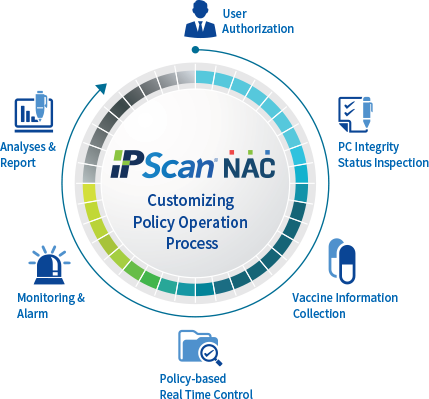 |
Maintain software integrity |
|
- Monitor integrity based on administrator settings |
|
Block specific software |
|
- Scan and block specific software |
|
- Support updating to the latest software versions |
|
OS patch management |
|
- Automatically apply operating system updates |
|
- Remote technical support |
|
- Block unauthorized IP address changes |
|
- Enable screen saver activation |
Key Features

|
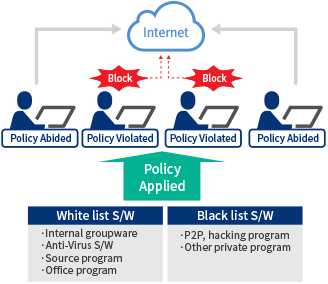
Mandatory Software and Malware Management |
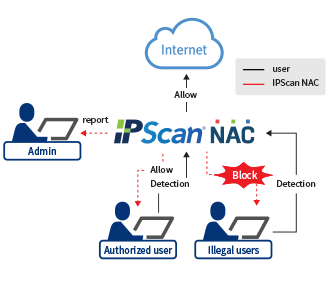
Preventing Communication Routing Bypass |
 |
 |
|
- Based on administrator settings, IPScan NAC can check the installed and running status of Mandatory Software / Malware.
- If a device is detected with software status violating the policy, its network access will be blocked.
|
- IPScan can detect and block endpoints that violate internal network policies and attempt to use bypass communication routes.
- If a bypass communication attempt is detected, the user's network access will be blocked.
|
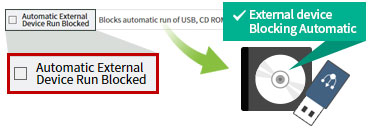
Windows Security Settings Check
 |
 |
|
User Computer Security Settings Check |
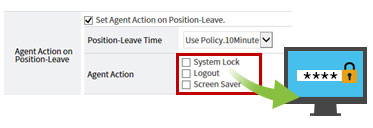
Mandatory Screen Saver Settings |
|
Check the auto-run feature of peripheral devices and set up automatic disabling for this feature |
Configure screen saver (display, time, password) |
Real-Time Network Usage Status
.png)
Real-Time Network Usage Status
-
Real-time IP usage graphical interface
-
General monitoring of IP conflict events
Warning / Block Status
-
Warning Status: Displays the status of devices violating warning policies.
-
Block Status: Displays the status of devices violating block policies.
Settings / Exception Status
-
Settings Status: Displays the status of devices applying specific policies.
-
Exception Status: Displays the status of devices belonging to network block exception policies.
General / Asset Status
-
General Status: Displays the status of authorized/unauthorized devices, device types, and inactive devices.
-
Asset Status: Displays the IP asset and operating system status of each device across individual IP ranges.
[View the IPScan NAC solution brochure here]